POCViP in summit2
Load the Sirocco Tools module with the following commands:
module use /ecola/share/modulefiles/
module load sirocco-gnu/latest
Note: You can add these commands to your
~/.bashrcfile to have the Sirocco Tools module loaded every time you open summit2.
Interface and Vocabulary
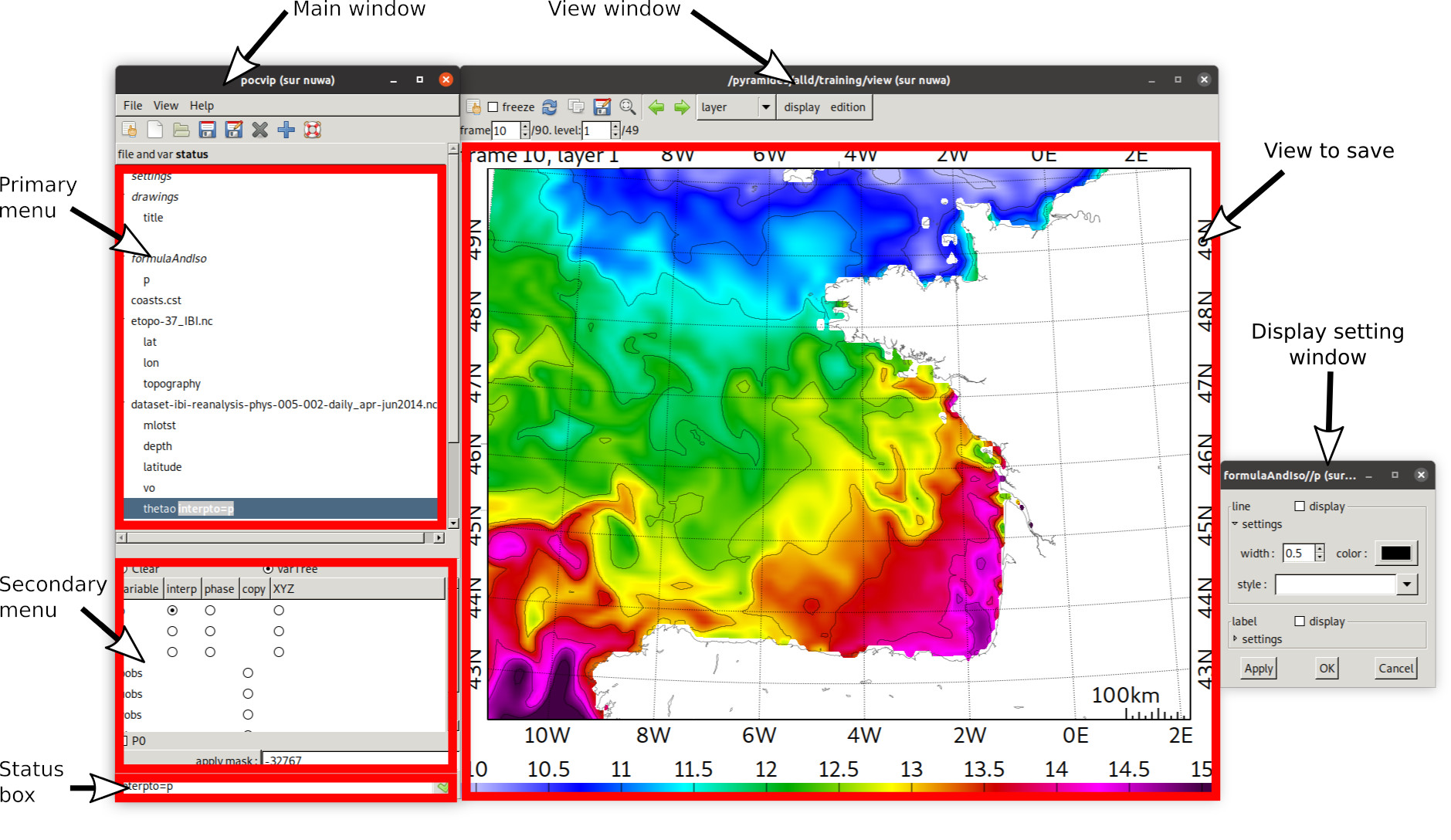
First Steps and Basic Usages
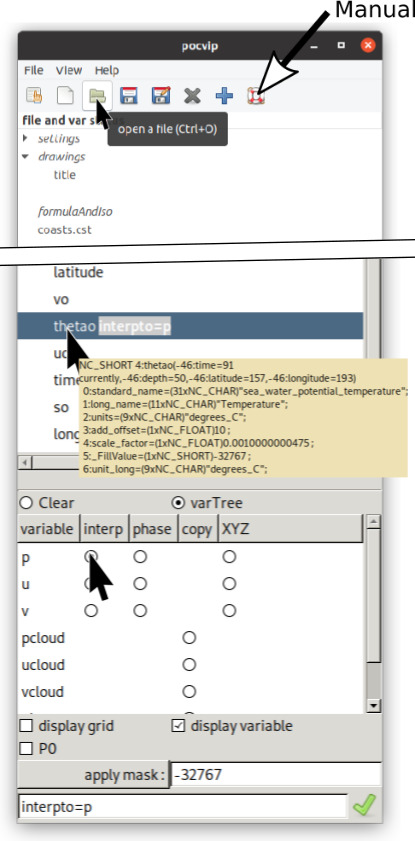
Display Variable (Main Window)
Open the file GLORYS/dataset-ibi-reanalysis-phys-005-002-daily_apr-jun2014.nc.
Pointing at a variable in the primary menu shows the netCDF information.
Primary menu → [file name] →
thetato display the potential temperature.If no other variable is already displayed, POCViP displays it automatically.
Otherwise, click on Secondary menu →
p→interp.
The display of the grid and the field of the variable can be enabled/disabled using the boxes below.
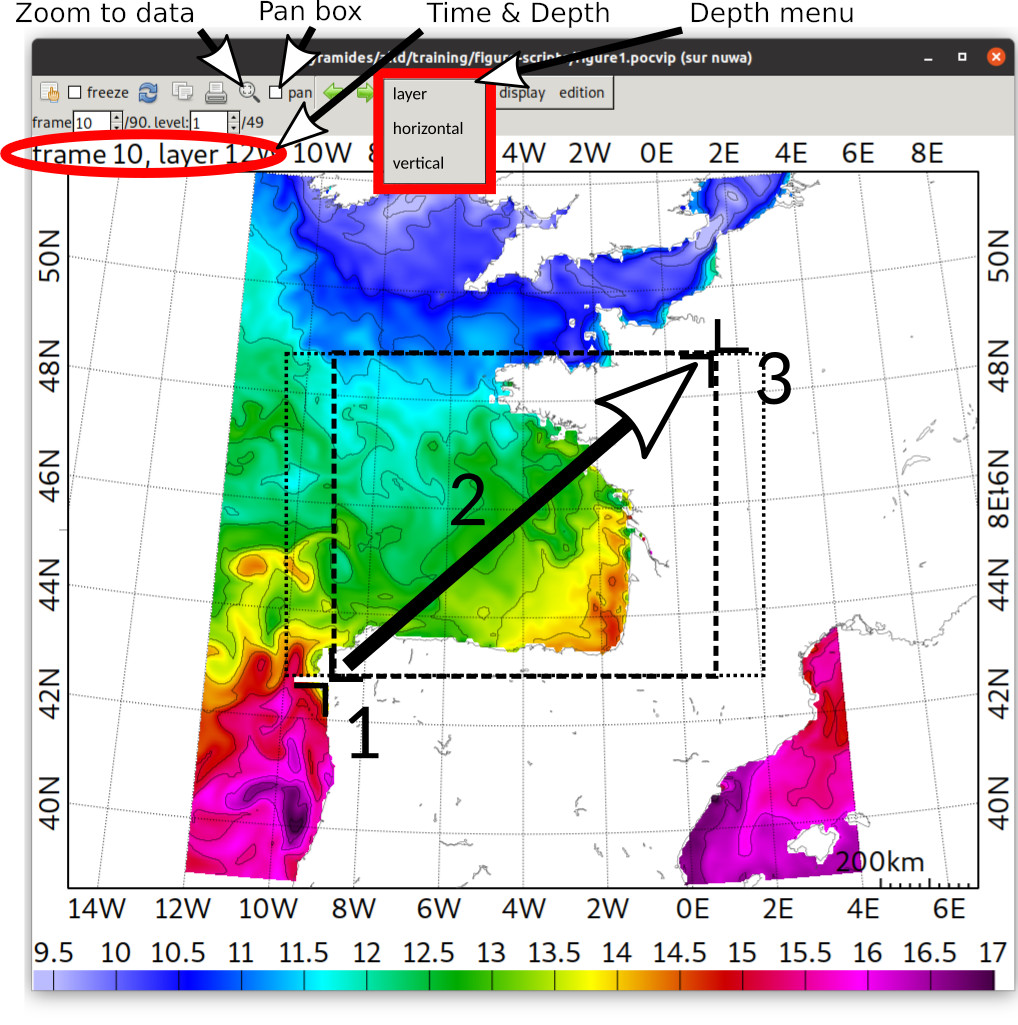
Moving Through the Data (View Window)
The button Zoom to data defines the best zoom settings for the size of the window.
To zoom on a specific location:
Hold [Right click].
Slide to draw the box.
Release.
To move to another area:
Pan box unchecked: [Right click] sets the new view center.
Pan box checked: Holding [click] + slide shifts the view.
To change the time (frame):
Set the frame number in the upper right box
Use the keyboard to move to previous [left arrow] or following [right arrow] frame
To change the depth, two options are available in the depth menu:
“layer”: To display the layer of the native grid (z, sigma, etc.).
“horizontal”: To interpolate the variable at a chosen depth.
For “vertical” option go to this example.
Saving View, Export the Script
Use the “Save image as” button (printer icon) to access the saving window. The chosen extension defines the saving method:
“.png”: POCViP saves the image you are viewing. The default setting keeps the width and height of the current view (at the bottom). By setting a “stop frame” greater than the “start frame”, POCViP will recursively save the wanted time frames using the same view settings.
“.pocvip”: POCViP produces the script to reproduce this view.
For example, save a script named GLORYS-theta-biscay.pocvip and close POCViP. To start again from the view, use the command:
pocvip . GLORYS-theta-biscay.pocvip
(The dot refers to the script execution).